Schedule Binding and Slot Evaluation
This article explains how final bookable slots are produced by combining three layers:
- Schema-level schedule binding (column → schedule)
- Row-level schedule binding (row → schedule)
- Classifications and write rules (business validation)
Together, these layers determine the exact set of slots that appear in the booking UI.
1. Schema-Level Schedule Binding (Structural Slot Control)
Schema-level schedule binding defines which slots are structurally possible to select in a Smart Form. A schedule is bound to a time period column, not to individual rows. This makes it a schema rule, not a data rule.
Its sole purpose is:
- Restricting which slots can ever be selected in a form
A bound schedule ensures that:
- Users cannot select arbitrary time ranges
-
All bookings follow structural time rules such as:
-
Office hours
- Opening times
- Shift windows
At this level, slot availability is defined as:
- Schedule binding → structural slot limitation
- Write rules & classifications → business logic validation
Binding a Schedule to a Time Period Column
To bind a schedule:
- Navigate to the column that represents a time period.
- Open the column settings.
- Select Bind Schedule.
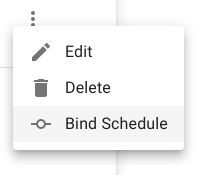
- Associate one or more schedules with the column. Only slots generated by these schedules will be selectable.
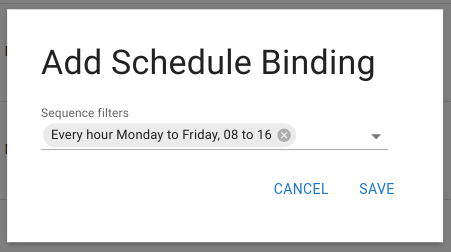
Once bound, this column can no longer accept free-form time ranges.
Effect in Smart Forms
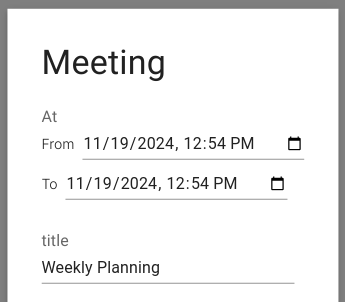
After a schedule is bound, the input UI changes:
From a free interval selector:
To a slot-based selector:
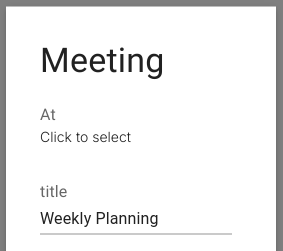
Instead of entering “from” and “to” values manually, the user opens a slot picker:
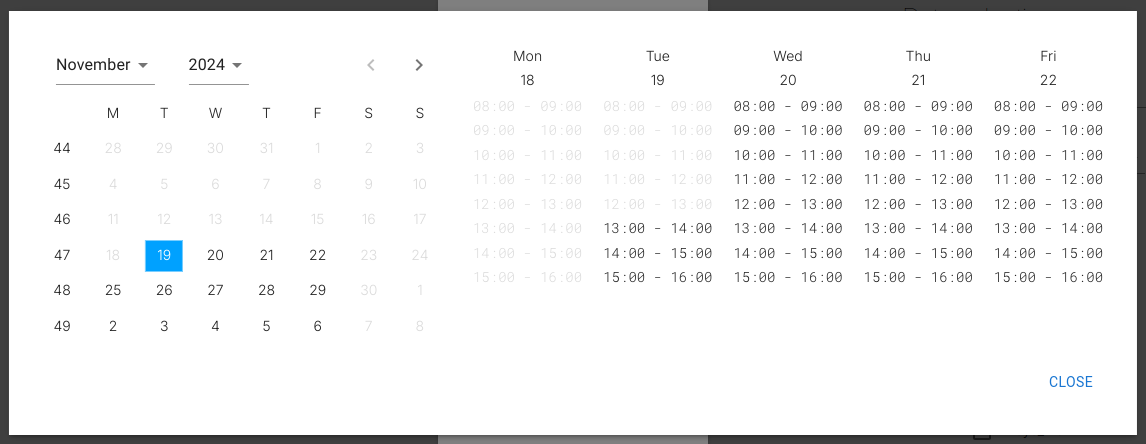
Only slots generated by the bound schedule are shown. In this example, that means:
- Only future
- Only weekday
- Only 08:00–16:00 slots are selectable.
2. Row-Level Schedule Binding (Schedule as Data)
In addition to schema-level binding, schedules can also be bound directly to individual rows using the Schedule data type.
This is used to express per-entity recurring availability, such as:
- An employee’s working hours
- A meeting room’s opening hours
- A resource’s operational window
Examples:
- An employee is assigned a schedule like Monday–Friday, 09:00–17:00
- A meeting room is assigned a schedule that excludes evenings
By storing schedules directly on rows:
- You avoid manually creating individual slots
- Changes propagate automatically
- Availability always stays consistent with the active schedule
Example: Assigning a Work Schedule
In the example below, an employee’s work availability is defined by assigning a predefined schedule directly to the row:
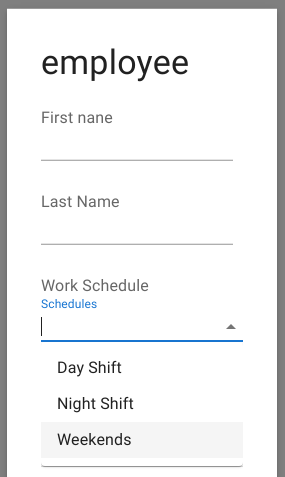
From this point on, all booking logic that references this employee automatically evaluates against this assigned schedule.
3. Slot Evaluation Using Write Rules and Classifications
Schema-level binding and row-level binding define the candidate slot space. Before these slots are shown to the user, Minyu evaluates each candidate slot against relevant:
- Classifications
- Write rules
This evaluation happens before the UI is rendered. As a result:
- Users never see illegal slots
- Invalid options are removed before presentation
- Selection is always restricted to fully valid slots
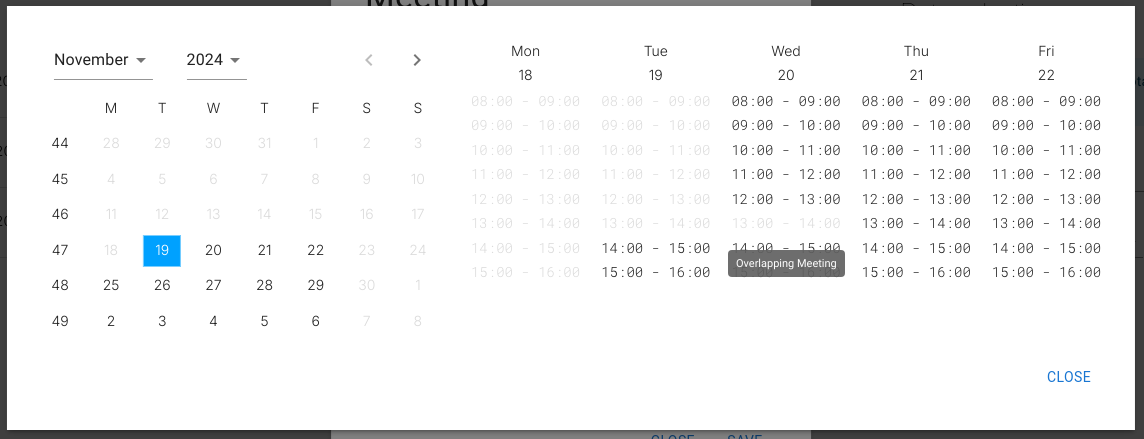
For example, a rule may prevent overlapping bookings. In the UI below, the slot from 12:00–13:00 is missing because it overlaps an existing booking:
The rule preventing overlapping bookings is enforced by a classification such as:
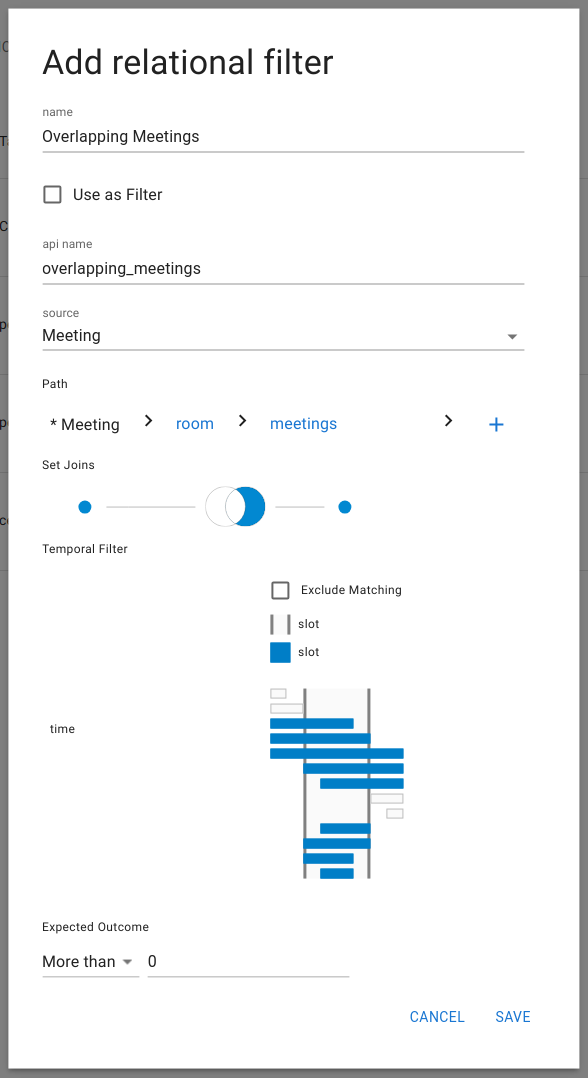
From the user’s perspective, the slot simply does not exist.
Summary of the Full Slot Pipeline
Final bookable slots are produced through three combined layers:
-
Schema-level binding Defines which slots are structurally possible.
-
Row-level binding Further restricts slots based on per-entity availability.
-
Write rules & classifications Remove illegal slots before they reach the UI.
As a result:
- Users only ever see valid, selectable slots
- Free-form time entry is replaced by rule-safe slot selection
- Structural rules, availability rules, and business rules are cleanly separated