GDPR Configuration
GDPR configuration is managed centrally from the system settings.
Navigate to:
Settings → GDPR
Creating a GDPR Configuration
- Click the plus icon to create a new configuration.
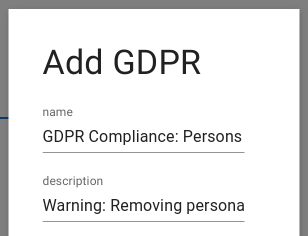
- Configure the following fields:
Name
A descriptive name for the configuration. This name will appear in all export and deletion menus.

Description
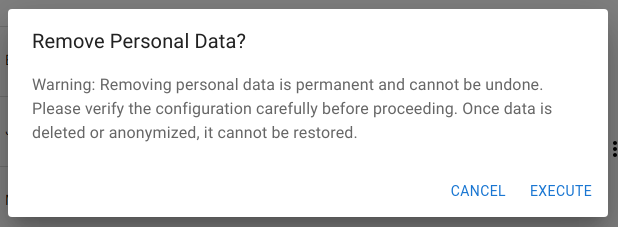
Optional description shown in a warning dialog before execution.
Source Table
The table that represents the root of the personal data graph.

Most use cases require only one source table. If the data model is fragmented, multiple configurations may be created.
Data Export
Defines which fields and related tables are included in exports.
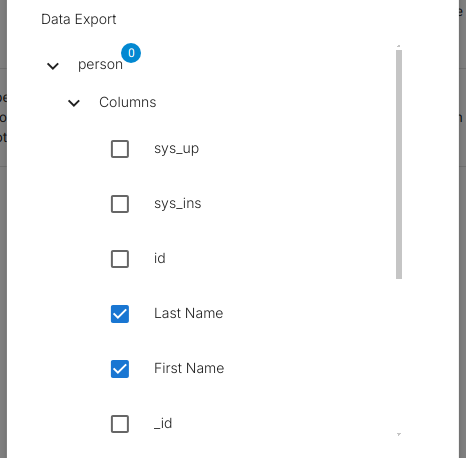
The export always includes:
- Selected table fields
- Related table data
- Audit log changes
- Access logs
Data Removal – UI Configuration Semantics
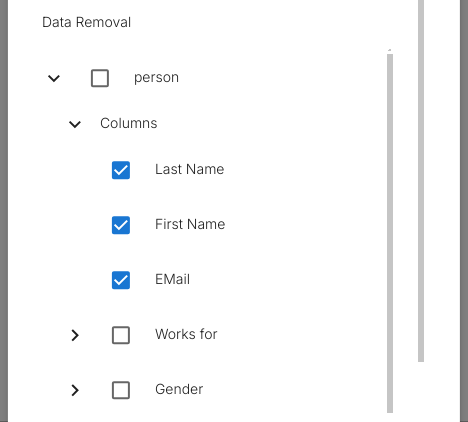
In the Data Removal section, each selected table and column is configured in one of two modes:
- Anonymize field values
- Erase entire rows
These modes are selected explicitly in the UI per table and per field and have very different execution behavior.
Anonymization (Field-Level – UI Column Selection)
When individual columns are selected for removal:
- Only those column values are anonymized
- The row itself is preserved
- The row
idis preserved - All relations to the row remain intact
- The row continues to appear in queries and reports
- The data is no longer considered personal after anonymization
This mode is configured by:
- Selecting a table
- Selecting one or more columns inside that table
- Marking them for removal
Typical UI use:
- Name
- Phone number
- Personal identifiers
Used when the row must remain for:
- Accounting
- Auditing
- Historical reporting
Row Erasure (Table-Level – UI Table Selection)
When a table itself is selected for removal:
- The entire row is deleted
- The row
idis removed - All direct relations to the row are removed
- In
n:mrelations, only relation edges are removed - In
1:nrelations, dependent rows follow their own configured rules - The row cannot be recovered through the system
This mode is configured by:
- Selecting a table without selecting individual columns
- Marking the entire table for removal
Typical UI use:
- Profiles
- Temporary registrations
- Leads
- Non-retained personal records
Row erasure is destructive and irreversible.
Mixed UI Models
A single GDPR configuration commonly combines both modes, for example:
- Erase
person - Anonymize
orders.customer_name - Preserve financial aggregates
This is configured entirely through table-level vs column-level selection in the Data Removal UI.
Execution Consequence
The UI selection directly controls the execution engine:
- Column selections → anonymization
- Table selections → row deletion
There is no automatic inference.
Only what is explicitly selected in the UI is executed.
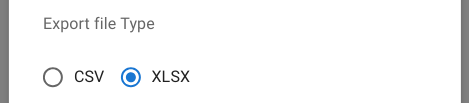
Export File Type
Defines the export format:
- CSV
- Excel
Required Role
Defines which role is required to execute GDPR actions.

Rule Bypass During Execution
During GDPR execution:
- All read rules are disconnected
- All write rules are disconnected
This guarantees that the configured export and deletion scope executes in full without permission filtering. The assigned role must therefore be treated as a high-trust role.