Relation Editing in Smart Forms
Smart Forms select the relation editing strategy automatically based on:
- Relation multiplicity (1:1, 1:n, n:n)
- Number of selectable rows in the target table
- Linkage rule configuration
- Whether row creation is allowed
No UI mode is chosen manually. The input strategy is a deterministic function of schema configuration and dataset size.
Selection Strategies
Small Collections (≤ 5 Rows)
Rendered as:
- Radio buttons → single selection
- Checkboxes → multi-selection
Precondition: The target table must be configured with Prevent Creating New Rows. This guarantees that all selectable values are canonical and finite.
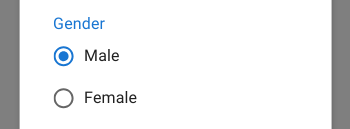
Single-selection relation rendered as radio buttons.

Multi-selection relation rendered as checkboxes. -->
Medium Collections (6–30 Rows)
Rendered as:
- Searchable dropdown (single or multi selection)
Also requires Prevent Creating New Rows, ensuring that only existing rows can be referenced.
This mode is used to avoid the spatial and cognitive overload of long radio/checkbox lists while still keeping selection fast and constrained.
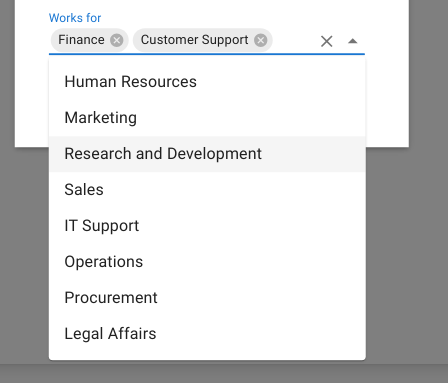
Medium-sized relation rendered as a searchable dropdown. -->
Large Collections (> 30 Rows) or Mutable Targets
Rendered as:
- Relation table interface
This mode is mandatory when:
- The collection size exceeds the dropdown threshold
- New related rows must be created from the form
- The relationship is many-to-many with operational volume
In this mode, the relation behaves as a fully navigable and editable dataset, supporting:
- Search
- Filtering
- Linking
- Inline creation
- Inline editing