Data Export
Data Export is an on-demand outbound mechanism for extracting data from Minyu to CSV or Excel.
Exports are evaluated at request time and reflect the current state of the data at execution.
Entry Point
Exports are created from the main navigation:
Data Exchange → Exports
Each export is stored as a reusable export definition.
Creating an Export
A new export is created using the plus icon in the Exports view.
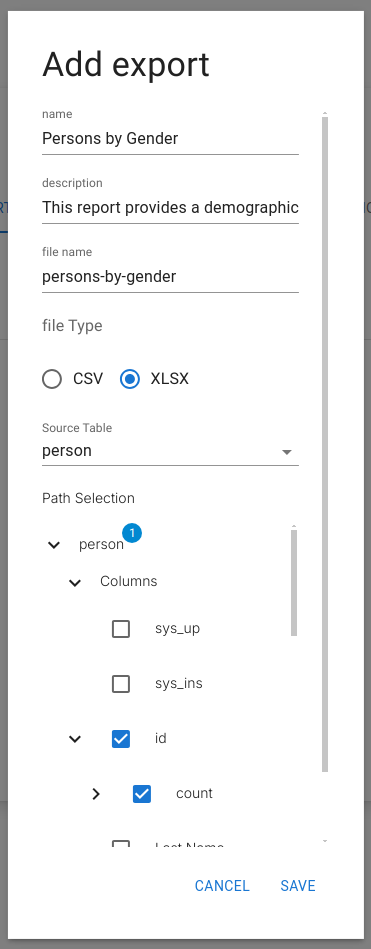
Each export definition contains:
- Source table
- Selected columns
- Included relations
- Optional filters
- Output format
Execution Model
- Read rules are enforced
- Each export represents a point-in-time snapshot
Data Selection
- Data is selected from a single source table
- Data from related tables can be included through configured relations
- Relation traversal follows schema-defined paths
- Nested relation depth is unrestricted
- Filtering is applied before export generation
Filters may reference:
- Source table columns
- Related table columns
- Classifications
Output Formats
Exports are generated in one of the following formats:
- CSV
- Excel
Format characteristics:
- Column order follows the export configuration
- Relation-derived columns are flattened
- Null values are preserved as empty cells
Download & Access Scope
- Exports are evaluated per request and per user context
- Read rules determine which rows are included
- Related data is filtered through the same read rules
- Files are generated immediately
- Download links are scoped to the requesting user
- Links are not publicly accessible
