Relations
A relation connects two tables and defines how rows in one table reference rows in another. Relations define cardinality, linking behaviour, and how Minyu presents connected data in smart forms.
Creating a relation
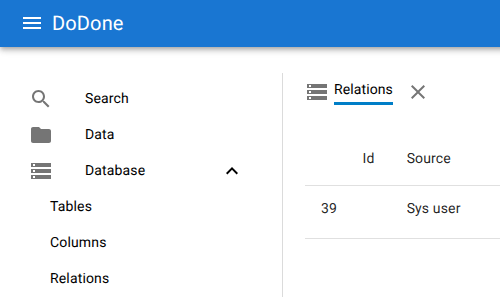
Relations are added from Database → Relations after selecting a table. The add button opens the relation editor. Each relation is configured from the perspective of both involved tables.
Core fields
-
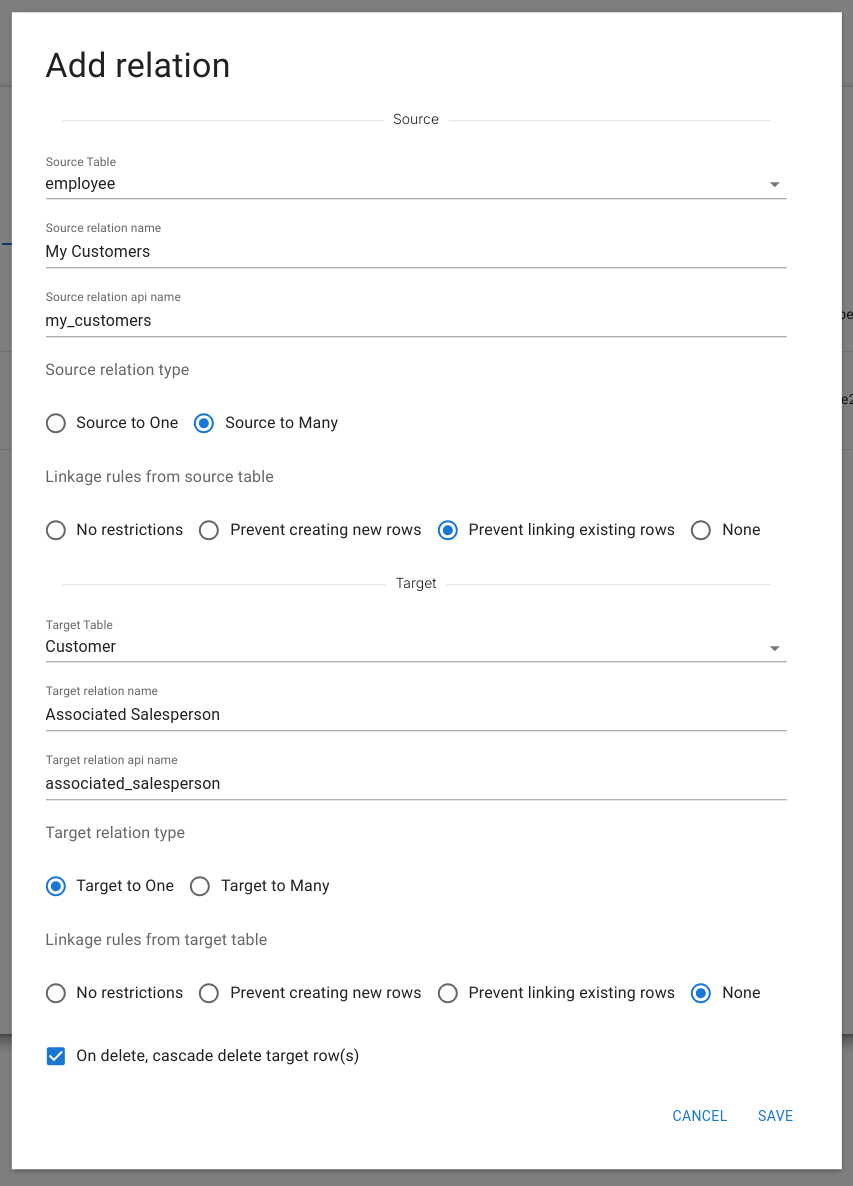
Source table: Table where the relation is defined.
-
Relation name (source): Label from the source side.
-
API name (source): API identifier. Lowercase, numbers and underscores allowed; cannot start with a number.
-
Relation type (source):
-
Source to one
-
Source to many
-
Linking rules (source): Determine how users interact with the target table:
-
No restrictions: Users may both link existing rows and create new rows.
- Prevent creating new rows: Users may only link existing rows.
- Prevent linking existing rows: Users may only create new rows.
-
None: The relation is hidden from the source table.
-
Target table: Table referenced by the relation.
-
Relation name (target): Label from the target side.
-
API name (target): Identifier from the target side.
-
Relation type (target):
-
Target to one
-
Target to many
-
Linking rules (target): Same options as the source side.
Why linking rules exist
Linking rules define whether related rows may be shared or must remain unique, and how users are allowed to create or reuse data when working with relations. The purpose is to prevent unintended coupling, silent side effects, and ambiguous ownership of data.
Each relation is configured independently from both sides — the source and the target. This means that:
- The linking rule on the source side controls how the relation behaves when a user starts from the source table.
- The linking rule on the target side controls how the same relation behaves when a user starts from the target table.
- Smart Forms always apply the linking rule defined on the active side of the relation.
This makes it possible for a relation to be:
- fully editable in one direction,
- restricted or read-only in the other,
- or completely hidden from one side.
Linking rule types
-
No restrictions: Users may either link an existing row or create a new one. This is suitable when shared data is intentional, such as linking a Person to an existing Company.
-
Prevent creating new rows: Users may only link existing rows. This enforces canonical data and prevents duplication by selecting from predefined records, typically via a dropdown.
-
Prevent linking existing rows: Users may only create new rows. This guarantees unique ownership of the related data. It prevents scenarios where two source rows unintentionally point to the same target row—for example, two people sharing the same Address and one update silently affecting both.
-
None: The relation is hidden from the active side. This is used when the table is not meant to be navigated from that direction, such as technical or supporting tables.
Because updates in Minyu always apply to the underlying row, shared relations imply shared side effects. Linking rules exist to make this behaviour explicit, prevent accidental reuse of mutable data, and ensure that Smart Forms reflect the intended ownership, navigation, and editing model depending on whether the user is working from the source or the target side.
Cascade deletion
Cascade deletion is available only when target relation type = Target to one. If enabled, deleting a row in the source table removes the corresponding row in the target table. If the target table uses cascade deletion in its own relations, deletions may propagate further.